












October 19, 2026
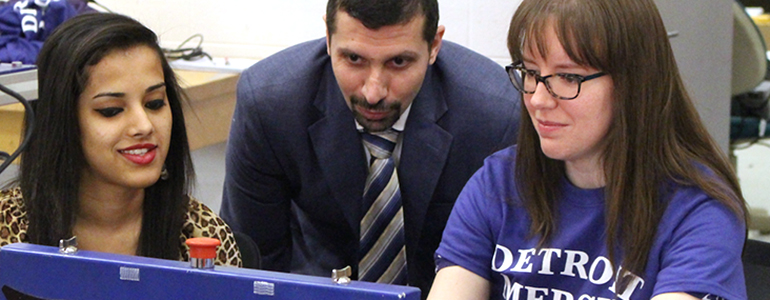
Health Services Administration Associate Professor Zigmond Kozicki and Stephanie Baiyasi-Kozicki provided a virtual workshop, “Promoting a Unified…


Tuesday October 20, 2026
Each year, University of Detroit Mercy conducts a Day of Giving, which provides an opportunity for Titans around the world — alumni, community members, parents, friends, faculty, staff and students — to join together and show support for the University.
In 2026, the Day of Giving for UDM is Tuesday, Dec. 1 (National Giving Tuesday).
This will be a 24-hour event to raise money for areas and projects around the University through our crowdfunding platform. It will be primarily promoted through social media, texts and students to alumni emails.
We are in the process of collecting campaigns to include on this day.
If you have a project/campaign you want to have included, please complete the campaign worksheet form found here you project description and goal. In order to have enough time to build out the platforms for each campaign, the campaign worksheet form for each campaign must be completed and submitted by Monday, Nov. 2.
If you would like more information or a presentation about Day of Giving, please contact Director of Annual Giving Judy Wernette at wernetjm@udmercy.edu.

Tuesday October 20, 2026
 The School of Architecture & Community Development (SACD) will host a film screening and workshop on Wednesday, Oct. 21, and Thursday, Oct. 22, respectively, as part of its Dialogues@SACD series. Both events will take place in the Warren Loranger Architecture Building on the McNichols Campus.
The event will feature:
Wednesday, Oct. 21, 5-6:30 p.m.
MÁS QUE UNA CASA (More than Just a House)
Loranger Architecture Building Exhibition Space
This 80-minute film explores vast social housing compounds that rise like archipelagos in remote areas, where despite uncertainty in the face of harsh reality, the communities pulse with unexpected life. The film is a portrait of a working-class generation determined to transform difficult living conditions into places they can call home.
The film will be shown in Spanish with English subtitles. Registration for the film is encouraged but not required.
Thursday, Oct. 22, at 12:45-2 p.m.
From Film to Action: Designing Film Mediation Strategies to Influence Public Policy
Loranger Architecture Building, Peter Peirce Room 207
In this workshop, participants will identify opportunities for civic engagement and potential pathways to influence public policy in answer to the following questions:
A light lunch will be provided. Registration for the workshop is recommended.
Dialogues@SACD invites students, faculty, staff, alumni and interested Detroit communities to learn together and discuss pressing concerns impacting the built environment and community development in the region and globally.
Tuesday October 20, 2026
 University of Detroit Mercy will host a fall graduate program open house on Tuesday, Oct. 27, from 5-7 p.m. in the Fountain Lounge of the Student Union on the McNichols Campus.
Prospective students interested in learning more about UDM graduate programs, including in-person and online options, will have the opportunity to meet with faculty, program representatives and Graduate Admissions staff.
Attendees may stop by at any time between 5-7 p.m. to ask questions, explore graduate program options and learn about the admission process. Register for graduate open house.
Nearly every UDM graduate program will be represented, except for the Dental, Optometry and Law professional programs and the Clinical Psychology doctoral program.
For additional information about UDM graduate programs, contact Associate Director of Graduate Admissions Jennifer Goethals at goethajm@udmercy.edu or at 313-993-3309.
Tuesday October 20, 2026
Are you interested in reducing stress, improving your brain health and memory, while also enhancing your physical balance and stability?
All are welcome to join the Department of Social Work for monthly Qigong and sound bath, held inside the conference room Briggs Building, Room 305, on the McNichols Campus. The next session of the semester is scheduled for Saturday, Oct. 24, from 10 a.m. to noon. Please arrive no later than 9:50 a.m. prior to the start.
Attendees will engage in the ancient medical practice of Qigong, followed by a relaxing meditative sound bath. Participation is limited; RSVP is required to attend. Please contact Associate Professor of Social Work Janet Joiner at joinerjm@udmercy.edu to reserve your spot.
Tuesday October 20, 2026
Titan Equity Nourish Network (TENN) is hosting a festive evening filled with cider and donuts, games, costume competition and prizes.
All are welcome to join in TENN’s annual Halloween game night on Thursday, Oct. 29, at 5 p.m. in the Briggs Building, Room 101.
Please email Chelsea Manning at mannincp@udmercy.edu with any questions.



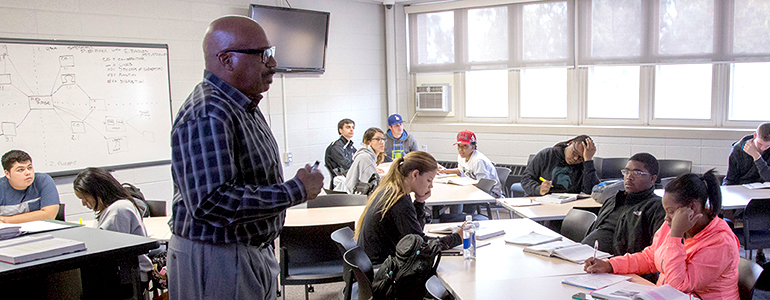

The Office of Mission Integration is charged with nourishing employee conversations about the soul of the University.